How-to
How to find a song from a YouTube video
There are six ways to find out what song is playing in a YouTube video, from the free info YouTube already shows to tools that listen for you. Start with the first and stop as soon as one gives you a name you can check.
Free with an account · 3 TikTok, Reels or Shorts videos a day
- TikTok
- Reels
- Shorts
- YouTube

YouTube · 6:56
Kaaris - Zoo (English Subtitles) | REACTION
2 songs timestamped
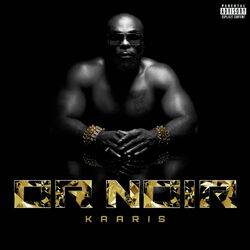 ZooKaaris0:3084%
- live or diexd hunna0:0128%double-check
In short
- First look at the description: YouTube often adds a “Music” section with the title and artist of licensed songs. Then check the chapters and the comments, where timestamps link straight to the moment.
- Still nameless? Let Shazam listen while the video plays, from an iPhone’s Control Center or the Chrome extension, or put a line of the lyrics in quotes into a search engine.
- A video with several songs is where a link-based finder wins: it returns the whole tracklist with start times, something none of the other five methods provide.
Way 1
Read the “Music” section of the description
Expand the description (tap it on a phone, “…more” on a computer) and scroll all the way down. If YouTube’s Content ID has matched a licensed recording, you’ll find a “Music” block naming the song, the artist, sometimes the album and the rights holders.
Zero effort and dependable, on the videos that have it. Plenty don’t: library music, tiny clips and remixed versions usually slip past Content ID. And even when present, the block won’t say at what point of the video the song appears.
While you’re in the description, read the creator’s own text. Many YouTubers credit their music there, especially those using subscription libraries that require attribution.
- “Music” sectionAdded by YouTube for matched, licensed tracks.
- Creator’s creditsOften present when the music comes from a library that requires attribution.
- Links to a playlistSome channels keep a playlist of every song they use.
- When each song playsThe description almost never gives timestamps.
Ways 2 and 3
Chapters and timestamped comments
Chapters split the progress bar into named sections when the creator has set them up. Music videos, mixes and compilations often use chapter titles for the songs themselves. Open the description or tap the chapter name above the progress bar to see the list.
Comments are the other free source. Somebody has often asked “what’s the song at 4:12?”, and the reply is right there. A time typed in a comment becomes a link that jumps to that moment, so you can check the answer by ear in one tap. Sort by top comments: the useful answers tend to rise.
youtube.com/watch?v=1 4macQ5F7Lt02 &t=30s3
- 1a YouTube video page
- 2the ID of the video
- 3start at 30 seconds, where the song begins in the example above
Ways 4 and 5
Shazam the video, or search the lyrics
Play the video and let a recognition app listen. iPhones can do it without a second device, from Control Center; desktop Chrome has an official Shazam extension that reads the current tab. Every attempt samples a few seconds, so wait for a stretch where the music is clear. Our Shazam for videos page goes through every device.
If you can make out a line of the lyrics, type it into a search engine between quotes. Lyrics sites usually come up first. Choose a distinctive line rather than the chorus hook everybody repeats, and leave out words you’re not sure of.
Way 6
Paste the link into a song finder
The last method hands the whole job over. Paste the YouTube address in the box on this page and the audio track is fingerprinted end to end (continuously for short videos, in regular samples past five minutes), up to 2 hours with credits (1 per 5 minutes).
The reaction video at the top of this page is a real case: the reactor talks over the track, yet Zoo by Kaaris was matched at 84% from the thirty-second mark. A 28% match on the opening seconds stayed visible, tagged “double-check”, because a low score you can see beats a guess you can’t.
- Several songs in one videoAll of them, in the order they play.
- Start timesEach track pinned to the minute it begins, and to each return.
- Music under talkingFound when it surfaces between sentences; scored lower otherwise.
- Unreleased or custom musicNothing to match against: the result says so.
Still nothing?
When no method finds the song
Some music simply has no public name. Creators commission tracks or make their own; production libraries keep part of their catalog off streaming services; a game soundtrack or an ad jingle may never be released as a single. In those cases every method comes up empty, and that is the real answer.
A few last leads: ask in the comments with the exact timestamp, check the creator’s other videos (channels often reuse the same tracks), and look at the channel’s community posts or socials, where creators sometimes answer music questions.
- Licensed songthe description’s “Music” section usually names it
- Music video, mix or compilationchapters and comments list the songs
- Several songs in a vlog or a reactionpaste the link for a timestamped tracklist
- Music under a voiceovera full listen catches the gaps between sentences
The quick route
Expand the description
Scroll to the “Music” section and the creator’s credits.
Check chapters and comments
Timestamps jump to the moment so you can verify by ear.
Paste the link here
Whatever is still unnamed gets a title and a start time.
Verify the low scores
Anything under 50% is flagged “double-check”: listen before you trust it.
Pricing
No wait. No ads.
The site stays free. Need more? Credits that never expire, from €2.99, no subscription.
10 videos
€2.99one-time payment
€0.30 a video
Recommended
30 videos
€4.99one-time payment
€0.17 a video−44%
100 videos
€9.99one-time payment
€0.10 a video−67%
Free
€0forever
- 3 videos a day with a free account
- + 2 free credits when you sign up
- TikTok, Reels and Shorts
- Up to 5 min
- With ads
With credits
- Credits never expire
- No ads, no wait
- Videos up to 2 h (1 credit per 5 min)
- Credit back if we find nothing
- Full history and export
Secure one-time payment by Stripe: no subscription, nothing to cancel. Credits are added as soon as you pay and never expire. By buying, you accept the terms of sale.
Finding songs in YouTube videos
Another question? Write to us and we’ll add it to the page.
Updated on
How do I find the name of a song in a YouTube video?
Check the “Music” section at the bottom of the description first. If there isn’t one, look at chapters and comments, then use Shazam while the video plays or paste the video link into a song finder.
How do I find out what song is playing at a certain time?
Look for a timestamped comment about that moment, or paste the link here and pick the last track whose start time comes before yours.
Why doesn’t the video have a “Music” section?
YouTube only adds it when Content ID matches a licensed track. Royalty-free music, short clips, edited versions and many library tracks don’t trigger it.
Can YouTube identify songs by itself?
Through Content ID, which feeds the description’s “Music” section, and on some phones through hum-to-search. There is no button that lists every song of a video with timestamps.
How do I find a song from a YouTube video on an iPhone?
Play the video and tap Music Recognition in Control Center, or copy the video link (Share, Copy link) and paste it here in Safari.
How do I find all the music used in a long YouTube video?
Use a song finder by link. This one scans up to 2 hours with credits and lays out the tracks in playing order.
Are the comments reliable?
Often, but not always: people confuse remixes, covers and similar songs. Click the timestamp and compare by ear before you trust an answer.
Can I use the song in my own video once I know its name?
Not automatically. The title tells you who owns the rights, not that you can use it. Use YouTube’s Audio Library or a licensed catalog for your own videos.
Skip straight to the answer
One paste, one tracklist: titles, start times and a button to play each song.
Free with an account · 3 TikTok, Reels or Shorts videos a day